Google Consent Mode 2.0 without compromise
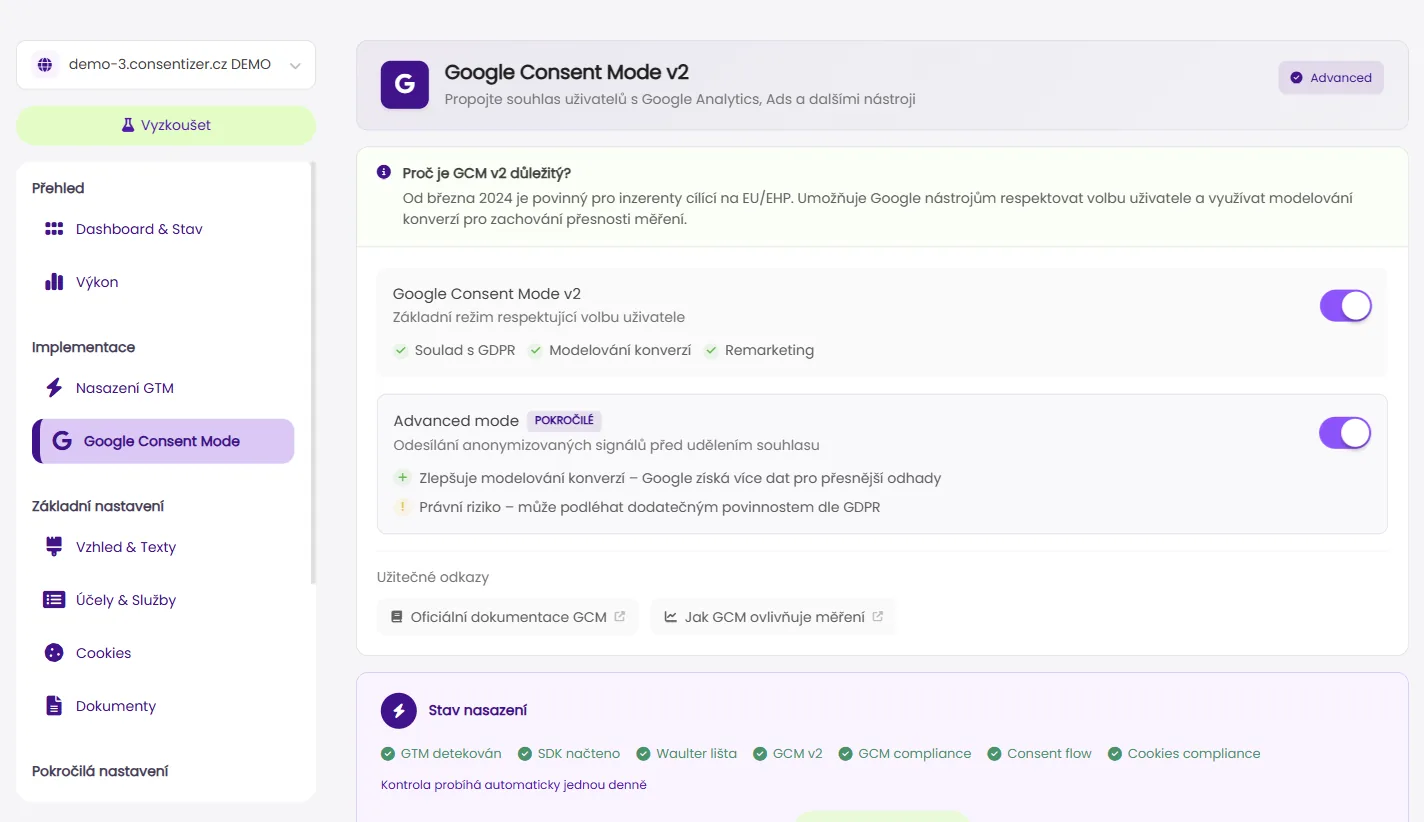
Waulter natively supports both basic and advanced Google Consent Mode. Your Google Ads and GA4 data stays accurate — even when a visitor declines cookies.
What is Google Consent Mode 2.0?
Google Consent Mode allows Google tags (Ads, Analytics) to adjust their behavior based on a visitor's consent state. Since March 2024, Google has required Consent Mode v2 — in basic or advanced mode — from advertisers in the EEA who want to use remarketing audiences and conversion measurement.
Waulter implements both modes:
- Basic mode — if a visitor declines consent, Google tags do not fire at all. No data is sent.
- Advanced mode — Google tags fire regardless, but without cookies. Google uses modeling to estimate conversions and audiences.
How Waulter handles it
- Automatic configuration — after installing the script, Waulter automatically sets consent defaults and updates the state after visitor interaction.
- GTM integration — full support via Google Tag Manager. Waulter communicates consent state through the dataLayer.
- Granular states — ad_storage, analytics_storage, ad_user_data, ad_personalization are set individually based on the visitor's choice.
- No lost data — advanced mode allows Google to model conversions even when consent is declined.
Why it matters for your business
- Remarketing audiences — without Consent Mode 2.0, you lose the ability to target visitors who declined cookies.
- Conversion measurement — Google Ads needs signals for bid optimization. Consent Mode enables modeled conversions.
- EU regulatory compliance — since March 2024, Google has required Consent Mode v2 from EEA advertisers using remarketing and conversion measurement.
Download GTM Templates
Pre-built GTM container with all consent triggers, variables, and tags — ready to import.
What's included
79
variables
17
triggers
2
tags
How to set up
- 1 Download the GTM container template
- 2 Import in GTM → Admin → Import Container
- 3 Configure your Waulter CCID
- 4 Publish